The loyalty card your customers don't lose
A digital punch card on your customer's phone. No app and no special hardware.

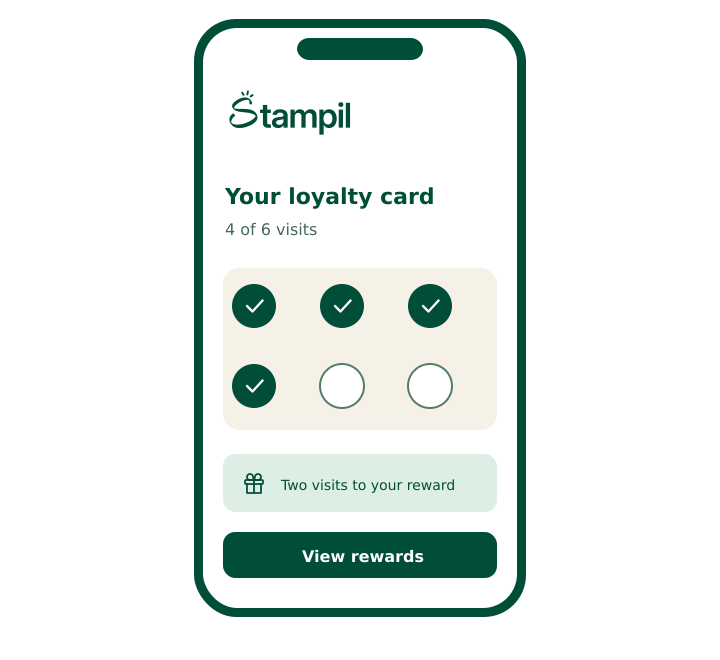
An example card. Try it
Example Café
Loyalty card
3/8stamps
8 stamps = a free coffee

8 stamps = a free coffee
Show this code at the counter
3 of 8 stamps
A demonstration of a stamp card. The café, the code and the numbers are examples only.
30 days of Pro, free. No credit card.
Paper cards work. Until they go missing.
The card stays at home
Or in the other wallet, or in the wash. The customer starts over, or just stops bothering.
You don't know who your regulars are
A stamp on paper can't tell you who comes in every morning and who hasn't been in for a month.
There's nothing you can do with it
You can't send a message to a paper card. There's no way to remind someone they're one stamp away.
Three steps and you're live
- 1
Set up your card in minutes
Open an account, choose how many stamps and what the reward is. That's your card.
- 2
Customers scan and save
A customer scans a QR code at the counter, enters a name and phone number, and the card is on their phone.
- 3
Staff scan on every visit
Open the counter screen on a phone, point the camera at the code on the customer's card, and the stamp is added.
A card built for the phone's wallet
Google Wallet and Apple Wallet are the heart of Stampil: a card where your customer already keeps cards, not in one more app to download. Both are coming soon. Until then every customer opens their card as a web page from their link.
Google WalletComing soon
Not available yet. When it is, an Android customer will save the card to Google Wallet from their card page, and the messages you send will arrive there.
Apple WalletComing soon
Not available yet. Until then every customer, on Android and iPhone alike, opens their card as a web page from their link: the same stamps and the same code to scan.
And every customer has a personal link
It opens the full card page: how many stamps they have, what the reward is, and the code to show at the counter. Redeeming a reward always happens with your staff.
Google WalletComing soon
Not available yet. When it is, an Android customer will save the card to Google Wallet from their card page, and the messages you send will arrive there.
Apple WalletComing soon
Not available yet. Until then every customer, on Android and iPhone alike, opens their card as a web page from their link: the same stamps and the same code to scan.
And every customer has a personal link
It opens the full card page: how many stamps they have, what the reward is, and the code to show at the counter. Redeeming a reward always happens with your staff.
More than stamps
Pick the program that suits your business. One program runs at a time.
Stamps
For example: Every tenth coffee is free.
On every plan
Milestone stamps
For example: A cookie at stamp five, a free coffee at stamp ten.
Pro and up
Points
For example: One point per shekel. 150 points gets a pastry.
Pro and up
Member discount
For example: 10% off every visit for anyone who shows their card.
Pro and up
VIP tiers
For example: After 20 visits a customer becomes a “Regular” and gets a large for the price of a small.
Business · an add-on to any program
Tools that bring customers back
A card on the phone is also a way to talk to your customer.
You're one stamp away from a free coffee. See you tomorrow?
Card branding
Your logo and colour on the card and on the join page.
Messages to your customers' phones
Write a short message and choose who gets it: everyone, people who haven't visited in 30 days, or people one step from a reward. It shows on the customer's card page. A phone notification through Google Wallet is coming soon.
Automatic messages
A welcome when someone joins, “nearly there” when they're one step from a reward, and “come back” after 30 days without a visit.
Counter poster
A print-ready page with your business's QR code. Print it, put it by the till, and customers join on their own.
Card branding
Your logo and colour on the card and on the join page.
Messages to your customers' phones
Write a short message and choose who gets it: everyone, people who haven't visited in 30 days, or people one step from a reward. It shows on the customer's card page. A phone notification through Google Wallet is coming soon.
Automatic messages
A welcome when someone joins, “nearly there” when they're one step from a reward, and “come back” after 30 days without a visit.
Counter poster
A print-ready page with your business's QR code. Print it, put it by the till, and customers join on their own.
Branding and messages come with Pro and up. Automatic messages come with Business.
Start free. Upgrade when you need to.
Free
₪0a month
Up to 100 active customers and one stamp card.
Pro
30-day free trial₪99a month
Unlimited customers, every program type, branding and messages.
Business
₪249a month
Everything in Pro, plus VIP tiers and automatic messages.
Prices are per month, before VAT. Every new business gets 30 days of Pro free.
What shop owners ask
Do my customers need to download an app?
No. A customer scans a QR code, enters a name and phone number, and has the card: it opens as a web page from their own link. Google Wallet and Apple Wallet are coming soon.
Which wallet does the card go in?
Stampil is built around the phone's wallet: Google Wallet and Apple Wallet. Both are coming soon. Until then every customer opens their card as a web page from their link. Either way there is nothing to install.
Do I need a scanner or special hardware?
No. You scan with any phone's camera, from Stampil's counter screen in the browser. Nothing to buy and nothing to install.
What does the customer need?
A phone with a camera. They scan the code at the counter, enter a name and phone number, and get their card.
What happens to the paper cards I've already handed out?
There's no automatic transfer from paper to digital, so each customer starts a new digital card. You can keep honouring paper cards until they're full, and move customers to the digital card as they come in.
Can staff use their own phones?
Yes. Each staff member signs in with their own account on their own phone and scans from there. Free includes one staff account, Pro five and Business unlimited — all in addition to the owner.
What happens after the trial?
After 30 days your business moves to the Free plan unless you've chosen a paid one. Nothing is deleted and nothing is charged automatically. Your customers and their cards stay; branding and messages stop until you upgrade.
Is it in Hebrew?
Yes. Stampil is built Hebrew-first, right to left. You can switch to English too.
Your next customer is already at the counter
Open an account, set up a card and print the code. You can do it today.

You made it this far. You've earned a reward:
30 days of Pro, free
Same as every new business. No credit card.